
Plesk Server
Management
Expert Plesk server management for Windows & Linux—24/7 monitoring, proactive support, and peak performance.
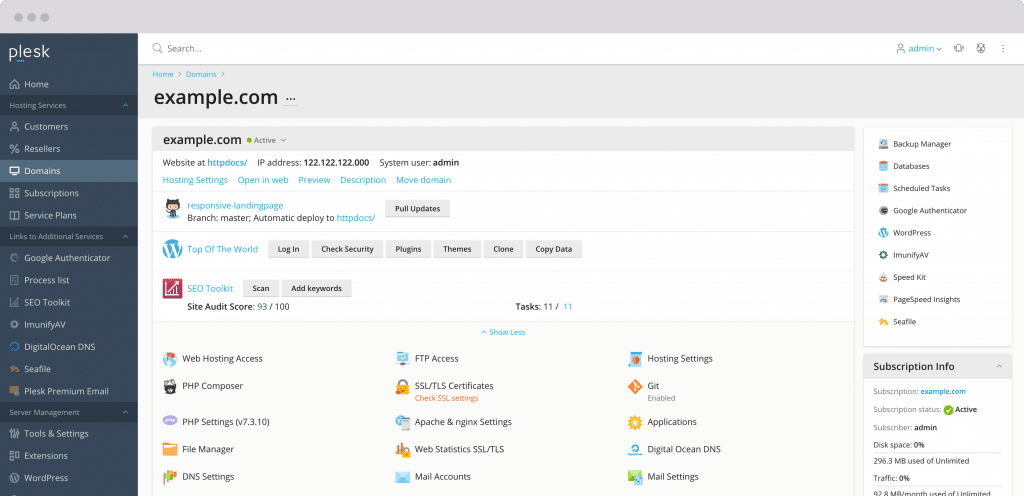
Windows & Linux
Both SupportedMonitoring
24/7/365Transparent Pricing
Choose the support model that fits your needs.
Best for single issues, optimization, or troubleshooting.
- Unlimited Servers Supported
- 30 Mins Response Time
- Disaster Recovery
- Server Troubleshooting
- Server Updates & Patching
- One-Time Optimization
- Malware Removal
- SSL/Plugins Installation
Complete 24x7 management and monitoring for seamless operations.
- Unlimited Tickets
- 5 Mins Response to Alerts
- 24x7 Monitoring & Rescue
- Weekly Server Audit Reports
- Security Auditing & Hardening
- Performance Optimization
- Premium Security & WAF Tool Included
24x7 Plesk Support Features
Our preventative practices guarantee that your server is running smoothly.
Expert Plesk Technicians
Our team includes engineers who have been providing Plesk server support for over a decade. We assure a high level of resolution in management and administration.
24x7 Monitoring
Regular checking of the server and all its services to ensure they are always available at the highest possible level.
Initial Server Setup
We set up and customize Plesk during reinstallation, upgrades, or migrations according to our strict security and optimization standards.
Security & Hardening
Our built-in standards align with PCI regulations, delivering advanced Plesk security hardening from day one. We secure your server immediately upon onboarding.
Cloudflare & CDN
Our team has extensive background in setting up Cloudflare, Railgun, and Workers to optimize content delivery.
Disaster Recovery
Strategies for the worst-case situation. We provide disaster recovery support to get your plans rolling again swiftly.
Rescue Mode Expert
Skilled in managing servers in rescue mode to address misuse or hardware breakdown, promptly restoring Plesk to full effectiveness.
IPMI & KVM Support
Wealth of experience with IPMI and KVM, allowing us to troubleshoot and recover servers with greater accuracy.
Weekly Audits
We consistently review the server and its logs to assess its condition and provide regular reports on actions taken.
Backup Management
We implement backup procedures according to established standards and client preferences for modification, location, and timing.
Datacenter Liaison
Our staff is flexible enough to fit the rules and processes of almost all big data centers, handling escalation when needed.
DNS Management
Efficient handling of DNS aspects via Plesk DNS manager, including access to external resources when necessary.
SSL Installation
Assistance with setting up free SSLs or purchasing and installing enhanced protection from reputable signing authorities.
Malware Scanning
Manual malware scanning of the server with complete reports detailing any malware events discovered.
Software & Plugins
Installation of any plugin supported by Plesk. Simply submit a ticket and we will handle the rest.
Server Optimization
Customized hosted script optimization to ensure continual peak performance, adjusted as necessary when server tasks change.
Firewall Configuration
Installation and configuration of CSF/Fail2ban for maximum security, including port and script monitoring.
Frequently Asked Questions
Common questions about our Plesk server management.
Yes, Plesk has a robust environment. If the website migrated is from a supported panel, Plesk offers tools for easy migration. If not, manual migration is always possible.
It is quite simple. Download the installer from the website along with licensing details (Windows or Linux), run the installer, and wait for completion. You will receive a URL and credentials for the new portal.
Plesk is a hosting control panel that provides a great end-user experience for handling hosting needs on Linux or Windows servers, including utilities like mail and website management.
We help with configuring, maintaining, and troubleshooting websites hosted within Plesk. We resolve issues and assist with all your Plesk server management needs.
cPanel is the most popular, but Plesk is the most versatile as it supports more technologies and operating systems (like Windows). The choice depends on user preference and purpose.
You need a server running Windows or Linux. Run the installer and perform the initial setup. We recommend involving professionals like Skynats for better optimization and security during setup.
Plesk has built-in backup and recovery tools. Backup strategies should be planned considering various factors. Skynats can configure this efficiently based on your requirements.
They are interrelated. If processes reach a threshold limit, load increases and performance degrades. It is best to approach a professional to fix the root cause. Restarting services is a temporary fix.